BUSINESS AREAS / PURCHASES & PAYABLES
A clear trail from purchase to payment.
Connect supplier requirements, receipts, bills and payments so the payable can be explained.
How the work connects
- 01
Plan the purchase
Review supplier records, purchase requests, quotations and purchase orders appropriate to your process.
- 02
Receive and record
Follow purchased quantities into receipts and check supplier invoice details and linked documents.
- 03
Settle what is owed
Record or allocate payments, inspect supplier advances and reconcile the remaining payable.
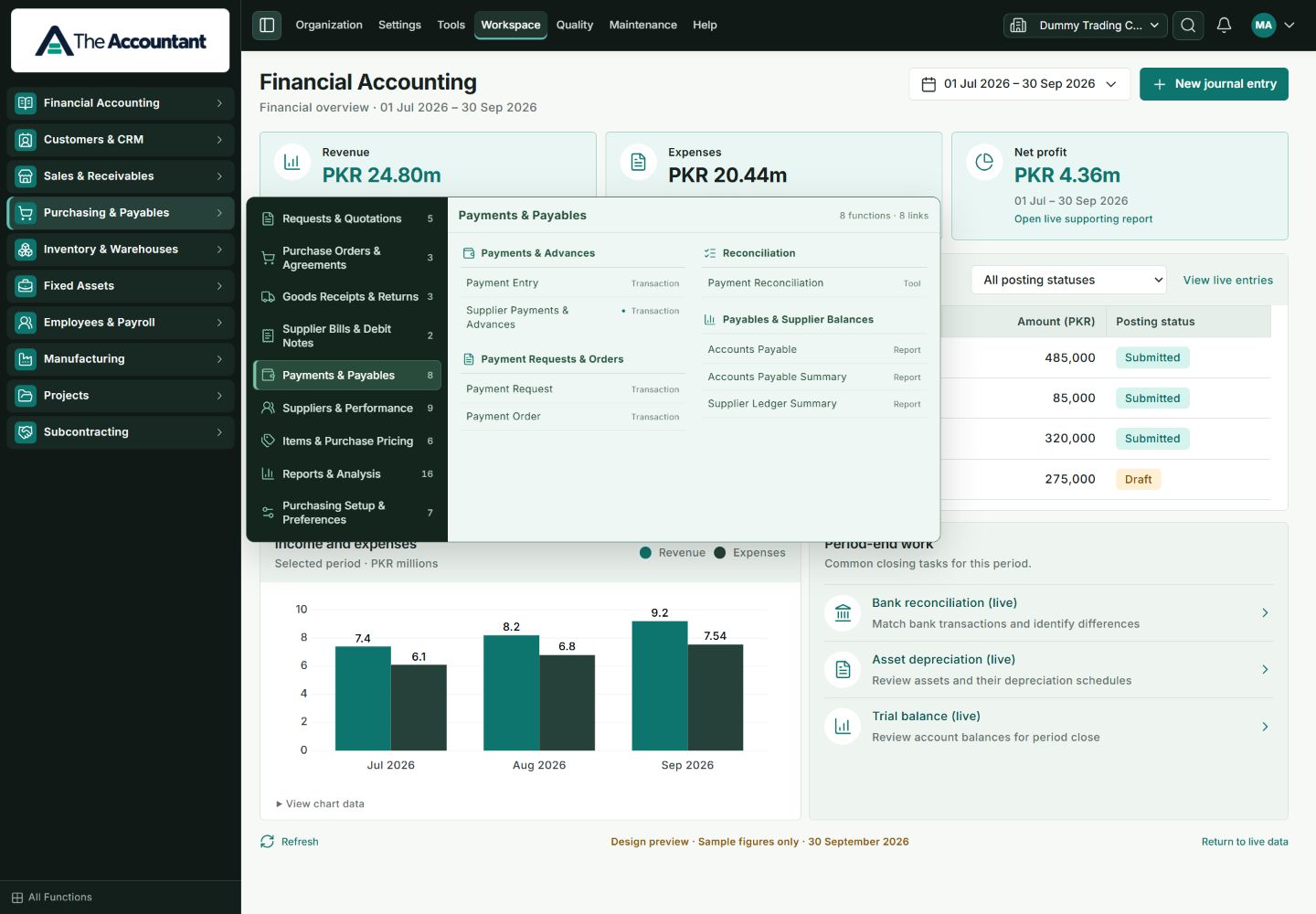
INSIDE THE CURRENT TA APPLICATION
Payments & Payables
EXPLORE IN YOUR DEMONSTRATION
Records with a purpose.
- Supplier and Purchase Order
- Purchase Receipt and Purchase Invoice
- Supplier payments and advances
- Accounts Payable and supplier ledger
Availability depends on roles, installed modules and configuration. Demonstrate your required exceptions as well as the routine case.
A PRACTICAL BUSINESS SCENARIO
What this means in practice.
A supplier bill of PKR 96,320 and a payment of PKR 60,000 leave PKR 36,320 payable. Allocation should explain the outstanding amount without recording an extra payment.
Illustrative explanation; not a live transaction or customer case study.Make the demo about your work.
Bring your purchasing approval steps, a supplier bill and how you normally record advances.
Discuss purchases & payablesRELATED WORKFLOWS
Continue the story.
Inventory & Warehouses
Connect quantities and locations with purchasing, sales and the records behind each movement.
Financial Accounting
Bring journals, ledgers and financial statements into one accounting workflow.
Business Reports
Explore financial statements and operational reports with the right company, period and filters.