Follow the transaction.
Trace a sale, purchase or payment through its related records. Keep the source and its financial effect connected.

THE ACCOUNTANT · ACCOUNTING & BUSINESS SOFTWARE
Connect sales, purchasing, inventory and people with the financial records behind your business. Understand what happened, what is due and what comes next.
For businesses moving beyond disconnected spreadsheets and records.
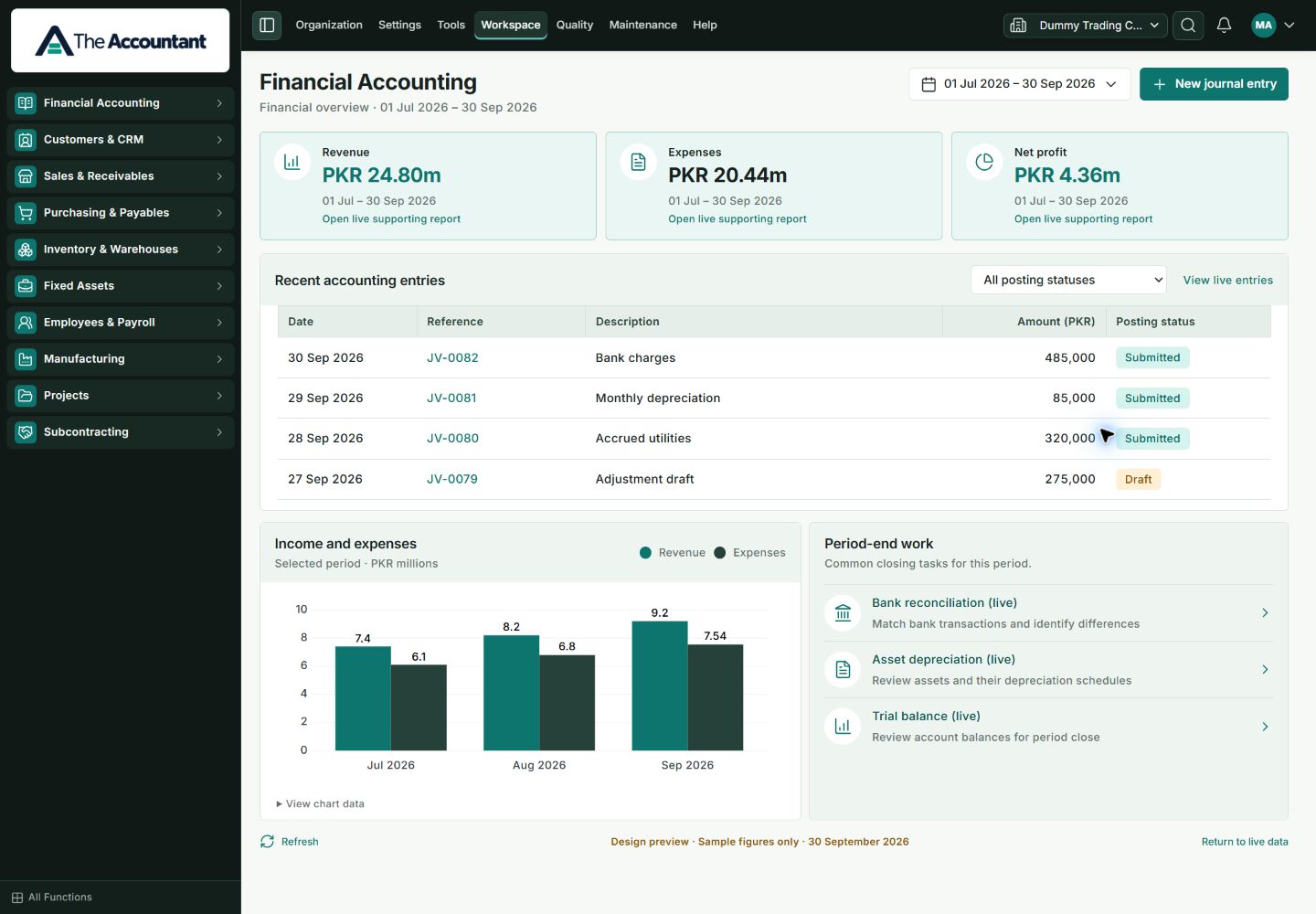
Current TA interface · Design preview with sample figures · captured 20 October 2026.
START WITH YOUR BUSINESS
TA brings native ERP workflows into a branded business workspace. Start with your immediate requirements, then agree the right configuration, implementation and support.
Trace a sale, purchase or payment through its related records. Keep the source and its financial effect connected.
Review outstanding invoices, supplier balances and stock movements with the appropriate company and date filters.
Use statements and supporting reports to ask better questions about performance, cash and operations.
BUILT AROUND CONNECTED WORK
Bring journals, ledgers and financial statements into one accounting workflow.
Follow the customer journey from an agreed sale to invoice, receipt and outstanding balance.
Connect supplier requirements, receipts, bills and payments so the payable can be explained.
Connect quantities and locations with purchasing, sales and the records behind each movement.
Explore employee information, attendance inputs and salary processing with an agreed local setup.
Explore financial statements and operational reports with the right company, period and filters.
SEE THE SOFTWARE
See the current TA interface, captured directly from the running application. Explore its business navigation, accounting functions and searchable directory before arranging your demonstration.
Open the product gallery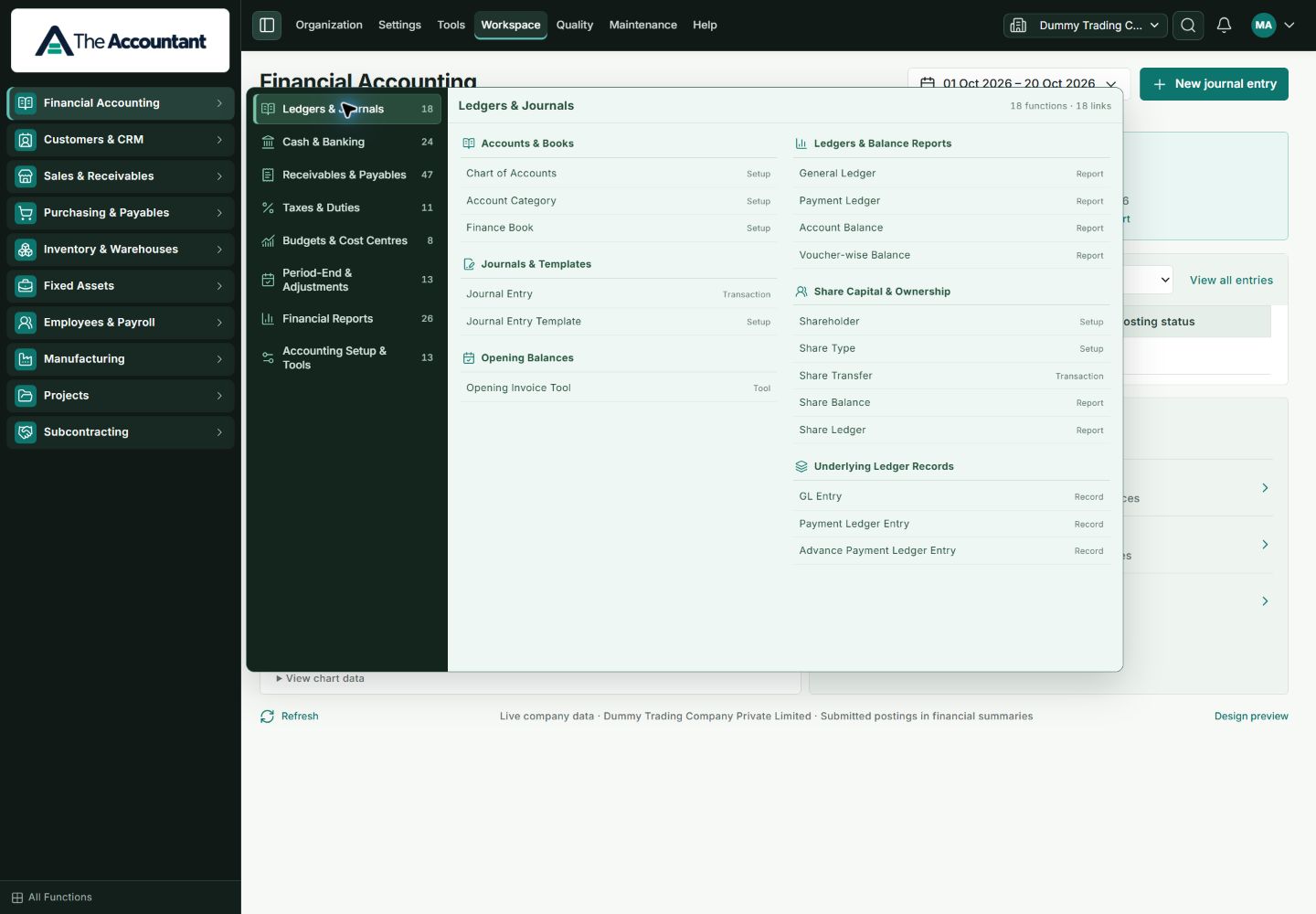
MORE OF THE CURRENT PRODUCT
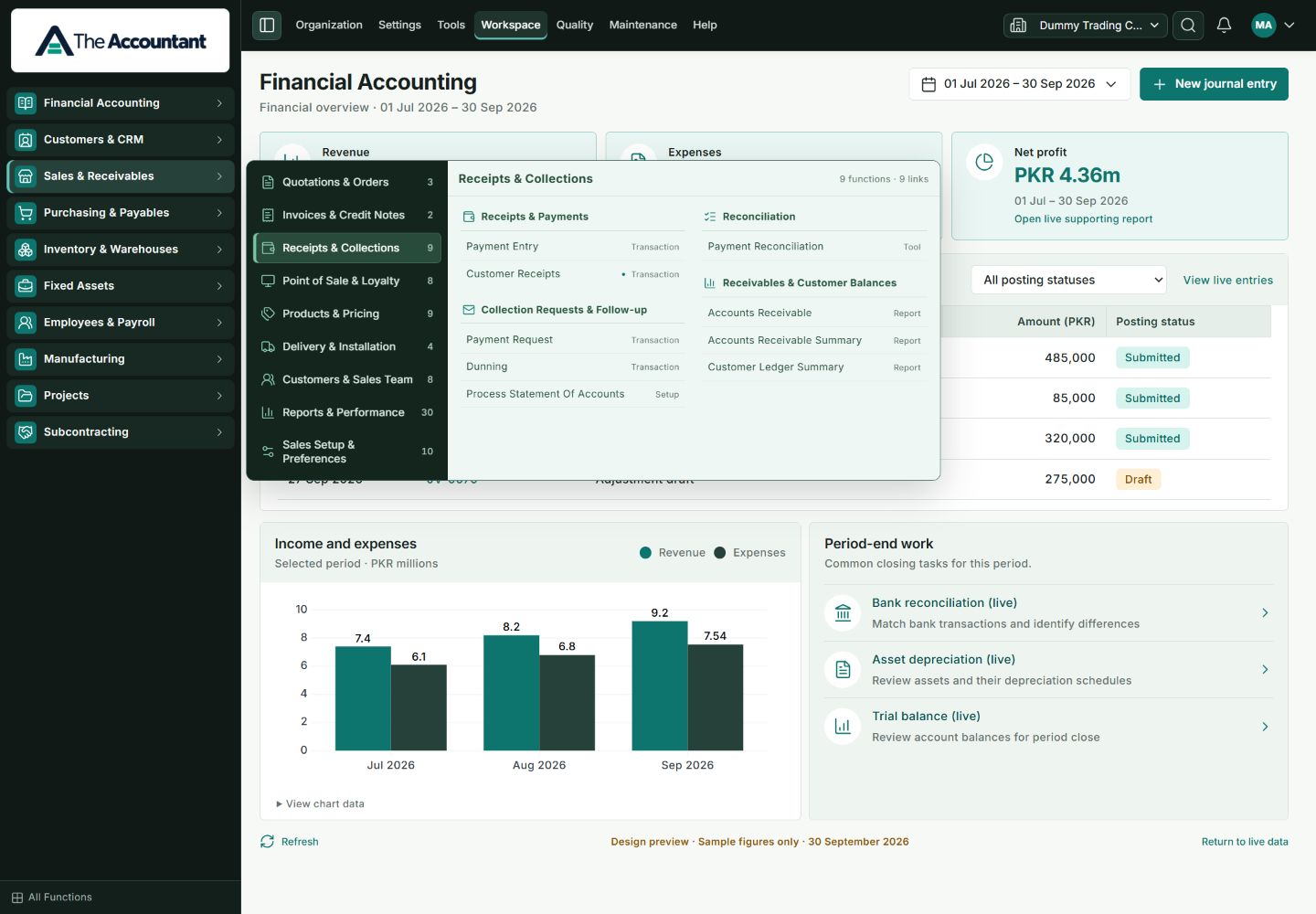
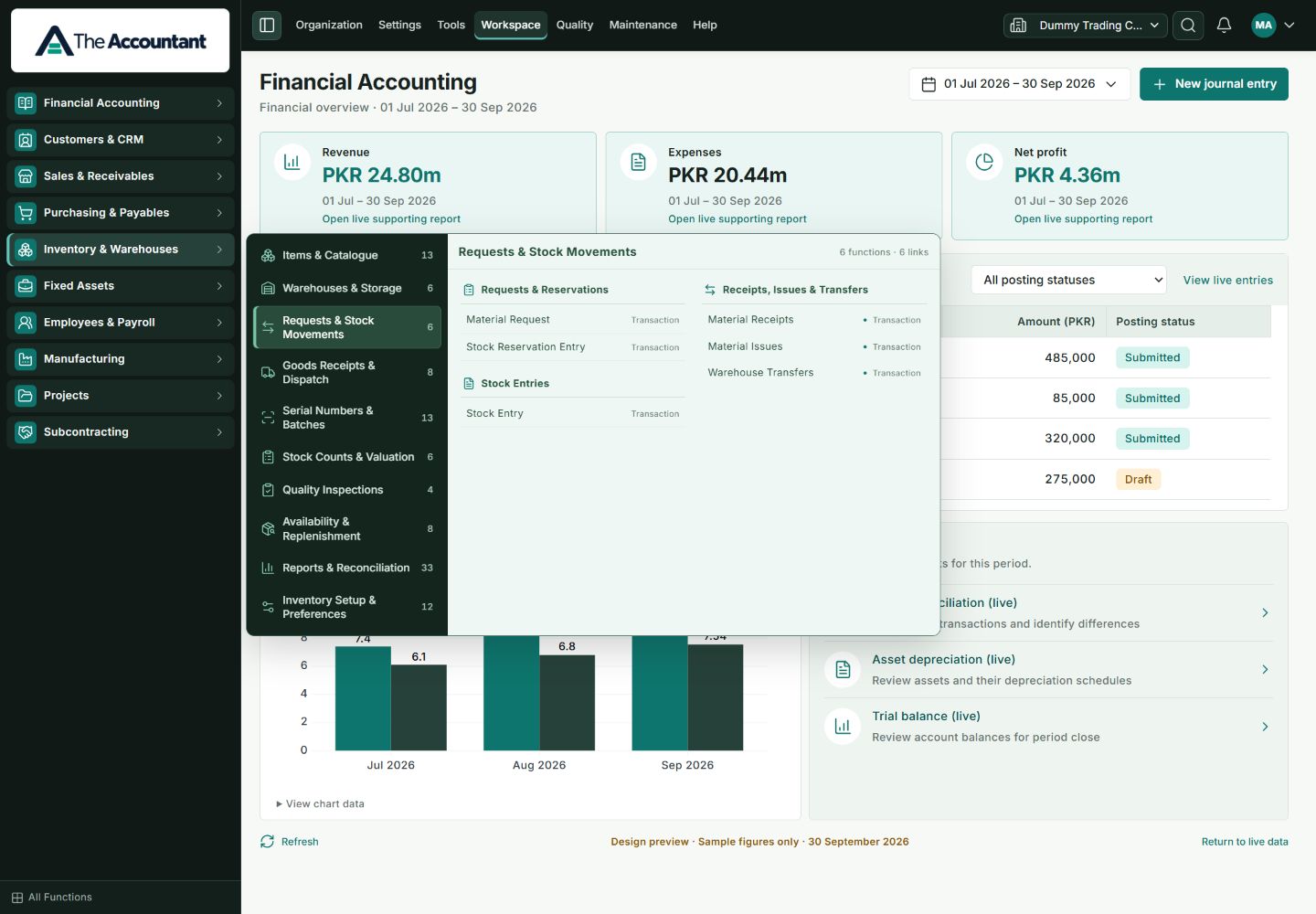
Explore the actual TA navigation used to reach the records and reports behind these workflows.
A PRACTICAL START
Understand fit, prepare the data, configure the workflow and train the people who will use it. Scope and responsibilities belong in the plan from the beginning.
Bring an invoice, purchasing process, stock question or reporting requirement to a guided demo.
Identify modules, migration work, responsibilities, subscription and service costs.
Reconcile opening data and validate representative transactions before an agreed go-live.
BEFORE YOU DECIDE
Request a guided demonstration of the actual application. The website walkthrough uses fictional teaching examples and does not connect to an ERP database.
Start with the workflows, reports and exceptions you need. Installation of a module does not establish that it meets every business or regulatory requirement.
Subscription, setup, migration, training and support scope are quoted explicitly. See Plans & inclusions for the questions to resolve before committing.
LET’S MAKE IT RELEVANT
Bring a business question. We’ll start with the records behind it.